

V, também conhecido como vlang, é uma linguagem de programação compilada e de sintaxe digitada estaticamente (tipada), criada por Alexander Medvednikov no início de 2019. Foi inspirada na linguagem Go e outras influências como Oberon, Swift e Rust. Inicialmente se chamaria Volt (nome de um produto criado com a própria linguagem), com isto o criador renomeou-a para V.
Observe que o nome é “V”, não “Vlang” ou “V-Lang”. O nome não é muito pesquisável (como Go), então use #vlang no Xwitter, vlang no Google, etc…
A extensão “.v” entra em conflito com (pelo menos) dois outros formatos de arquivo conhecidos: as linguagens “Verilog” e “Coq”. E seguindo o seu readme: “isso é lamentável, mas às vezes a vida também é… E a linguagem V não mudará sua extensão.”.
Uma das principais filosofias do V é “deve haver apenas uma maneira de fazer as coisas”. Isso resulta em um código previsível, simples e de fácil manutenção, por exemplo, no V há apenas uma maneira de retornar um valor de uma função: return value.
Não há megalomaníacos, o V sempre será uma linguagem pequena e simples.
Não há LLVM e usa C como back-end.
O V é escrito em V. O compilador pode se compilar. A versão original foi escrita em Go.
E mesmo assim há um Garbage Collector, que pode ser desativado e você gerencia a memória manualmente com a opção -nogc ou usar o autofree com -autofree.
Há um package manager (vpm) e módulos.
Plugins disponíveis para diversas IDEs e uma comunidade de desenvolvedores ativa (vide o próprio github do projeto, reddit, entre outros…)
O objetivo do V é permitir a criação de software previsível e passível de manutenção. É por isso que a linguagem é tão simples e talvez até entediante para alguns. O bom é que você pode entrar em qualquer parte do projeto e entender o que está acontecendo, sentir que foi você quem o escreveu, porque a linguagem é simples e há apenas uma maneira de fazer as coisas.
A sintaxe do V é mais limpa, com menos regras. A falta de espaços em branco significativos melhora a legibilidade e a manutenção de grandes bases de código e facilita muito a geração de código.
Ele oferece velocidade de compilação significativamente mais rápida, segurança, ausência de comportamento indefinido, concorrência fácil, geração de código em tempo de compilação, com uma sintaxe mais limpa e com menos regras, tornando-o muito mais rápido, mais simples, mais seguro e mais fácil de manter.
Não está listada no TIOBE Index (https://www.tiobe.com/tiobe-index/) e desde a sua criação em 2019 não figurou entre as 50 mais utilizadas linguagens segundo a interface: https://madnight.github.io/githut/#/pull_requests/2024/1
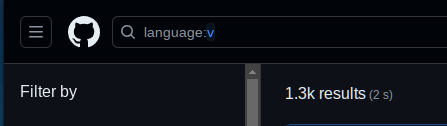
Se pesquisar pela linguagem no Github, encontrará 1.3k repositórios.
Atualmente, na versão 0.4.6 (beta) - Jun/2024
A leitura da documentação demora cerca de um fim de semana e, no final, terá aprendido praticamente toda a linguagem. A linguagem promove a escrita de código simples e claro com o mínimo de abstração. Apesar de ser simples, V dá ao programador muito poder. Tudo o que se pode fazer noutras linguagens, pode ser feito em V.
Instalando e Atualizando o V
git clone https://github.com/vlang/v
cd v
make
O V compila a si mesmo muito rapidamente e não requer dependências e bibliotecas para a autocompilação.
░▒▓   ./v version
V 0.4.6 da4afef

░▒▓   ./v up
Updating V...
> git_command: git pull https://github.com/vlang/v master
V self compiling ...
V built successfully as executable "v".
> Done recompiling.
> Recompiling vup.v ...
Current V version: V 0.4.6 100b3b0, timestamp: 2024-06-10 21:16:42
V faz lançamentos semanais (além dos lançamentos normais de atualização de versão semântica) se você não preferir compilar a partir do código-fonte.
https://github.com/vlang/v/releases
Path no S.O.
O executável V gerado (ou obtido) não é adicionado automaticamente ao seu PATH. O binário V fornece uma solução para criar os link simbolico.
sudo ./v symlinkAprendendo V
Hello World
Você pode apenas criar um arquivo hello.v
module main

fn main() {
	println('Hello World!')
}
E executar:
░▒▓   v run hello.v
Hello World!

# OR

░▒▓   v run .
Hello World!
Ou você pode rodar a opção new , onde além da estrutura, ele criará o repositório local do git e um módulo com o hello world já pronto:
░▒▓  v new
Input your project name: teste
Input your project description: so um teste mesmo
Input your project version: (0.0.0) 1.0
Input your project license: (MIT)
Initialising ...
Created binary (application) project `teste`

░▒▓  ls -a teste/
.editorconfig  .git  .gitattributes  .gitignore  src  v.mod

░▒▓  ls -a teste/src/
main.v

░▒▓  cat teste/src/main.v
module main

fn main() {
	println('Hello World!')
}

░▒▓   v run teste/src/main.v
Hello World!
Nos exemplos de execução acima, ele rodará em memória e mostrará o output, para gerar o binário use:
░▒▓   v hello.v
░▒▓   ls
hello hello.v

░▒▓   ./hello
Hello World!
V tool
O utilitário V será somente (e tudo que) precisará rsrss
V is a tool for managing V source code.

Usage:
  v [options] [command] [arguments]

Examples:
  v hello.v                    Compile the file `hello.v` and output it as
                               `hello` or `hello.exe`.
  v run hello.v                Same as above but also run the produced
                               executable immediately after compilation.
  v -cg run hello.v            Same as above, but make debugging easier
                               (in case your program crashes).
  v crun hello.v               Same as above, but do not recompile, if the
                               executable already exists, and is newer than the
                               sources.
  v -o h.c hello.v             Translate `hello.v` to `h.c`. Do not compile
                               further.
  v -o - hello.v               Translate `hello.v` and output the C source code
                               to stdout. Do not compile further.
  v watch hello.v              Re-does the same compilation, when a source code
                               change is detected.
                               The program is only compiled, not run.
  v watch run hello.v          Re-runs the same `hello.v` file, when a source
                               code change is detected.

V supports the following commands:

* Project Scaffolding Utilities:
  new                          Setup the file structure for a V project
                               (in a sub folder).
  init                         Setup the file structure for an already existing
                               V project.

* Commonly Used Utilities:
  run                          Compile and run a V program. Delete the
                               executable after the run.
  crun                         Compile and run a V program without deleting the
                               executable.
                               If you run the same program a second time,
                               without changing the source files,
                               V will just run the executable, without
                               recompilation. Suitable for scripting.
  test                         Run all test files in the provided directory.
  fmt                          Format the V code provided.
  vet                          Report suspicious code constructs.
  doc                          Generate the documentation for a V module.
  vlib-docs                    Generate and open the documentation of all the
                               vlib modules.
  repl                         Run the REPL.
  watch                        Re-compile/re-run a source file, each time it is
                               changed.
  where                        Find and print the location of current project
                               declarations.

* Installation Management Utilities:
  symlink                      Create a symbolic link for V.
  up                           Run the V self-updater.
  self [-prod]                 Run the V self-compiler, use -prod to optimize
                               compilation.
  version                      Print the version text and exits.

* Package Management Utilities:
  install                      Install a module from VPM.
  remove                       Remove a module that was installed from VPM.
  search                       Search for a module from VPM.
  update                       Update an installed module from VPM.
  upgrade                      Upgrade all the outdated modules.
  list                         List all installed modules.
  outdated                     List installed modules that need updates.
  show                         Display information about a module on vpm

Use "v help <command>" for more information about a command, example:
`v help build`, `v help build-c`, `v help build-native`

Use "v help other" to see less frequently used commands.
Use "v help topics" to see a list of all known help topics.

Note: Help is required to write more help topics.
Only build, new, init, doc, fmt, vet, run, test, watch, search, install, remove,
update, bin2v, check-md are properly documented currently.
Fonte: gist.github.com/Esl1h/86668c1ea286df384599ec47ca95a5da
v help [topic]Known help topics:build-c, build-js, build-native, build-wasm, build, common, doc, fmt, missdoc, repl, run, test, vet, watch, where, installation, self, symlink, up, version, ast, bin2v, bug, bump, check-md, complete, doctor, gret, ls, other, shader, share, tracev, scaffolding, install, list, outdated, remove, search, show, update, upgrade, vpm.
Se executar apenas o comando v, entrará em seu CLI (o REPL):
░▒▓   v hello.v
 ____    ____
 \   \  /   /  |  Welcome to the V REPL (for help with V itself, type  exit , then run  v help ).
  \   \/   /   |  Note: the REPL is highly experimental. For best V experience, use a text editor,
   \      /    |  save your code in a  main.v  file and execute:  v run main.v
    \    /     |  V 0.4.6 100b3b0 . Use  list  to see the accumulated program so far.
     \__/      |  Use Ctrl-C or  exit  to exit, or  help  to see other available commands.

>>> a := 1
>>> println(a)
1
>>>
Para sair é exit ;-)
Sintaxe
Variáveis
As variáveis são imutáveis por padrão, sendo definidas usando := e um valor.
Use a palavra-chave mut para torná-los mutáveis.
Variáveis mutáveis podem ser atribuídas usando =
Não é permitido declarar novamente uma variável, seja em um escopo interno ou no mesmo escopo, ou seja, no exemplo abaixo, só existirá 1 variável ‘a’ e sempre com o valor 1.
a := 1
mut anothervar := 2
anothervar = 3
Exemplo horrível, mas deu para entender, né?
Definindo variáveis
// Variables and Data Types
fn main() {
    // Integer
    var age int = 34

    // String
    var name string = "Tom Jones"

    // Float
    var salary f64 = 20000.5

    // Boolean
    var isStudent bool = true
}
if, else, for e while
// Control Flow
fn main() {
    // If statement
    if age >= 18 {
        println("You are an adult.")
    } else {
        println("You are a minor.")
    }

    // For loop
    for i in 1 .. 5 {
        println(i)
    }

    // While loop
    while isStudent {
        println("Still a student")
    }
}
Functions
// Functions
fn add(a int, b int) int {
    return a + b
}

fn main() {
    result := add(3, 4)
    println("Result:", result)
}
structures
// Structures
struct Person {
    name string
    age int
}

fn main() {
    person := Person{name: "Alice", age: 30}
    println(person)
}
modules
// Math module (math.v)
module math

pub fn add(a int, b int) int {
    return a + b
}

// Main program
import math

fn main() {
    result := math.add(3, 4)
    println("Result:", result)
}
Error handling
// Error Handling
fn divide(a int, b int) ?int {
    if b == 0 {
        return error('division by zero')
    }
    return a / b
}

fn main() {
    result := divide(10, 2) or {
        println("Error:", result)
        return
    }
    println("Result:", result)
}
Concorrência
// Concurrency
fn print_numbers() {
    for i in 1 .. 5 {
        println("Goroutine:", i)
    }
}

fn main() {
    go print_numbers()
    println("Main function")
}
Livros/Ebooks:
https://www.amazon.com/gp/product/1839213434
https://novapublishers.com/shop/randomness-revisited-using-the-v-programming-language/
Vídeos
Links
-
Toda documentação do V está neste markdown: https://github.com/vlang/v/blob/master/doc/docs.md (ou em https://docs.vlang.io/introduction.html)
-
A documentação para todos os módulos incluídos na biblioteca padrão V (vlib) está em: https://modules.vlang.io/
-
Comparações com outras langs: https://vlang.io/compare
-
V Package Manager: https://vpm.vlang.io/
-
Web Playground: https://play.vlang.io/
-
Uma lista de frameworks, libs, softwares, apps e outros projetos:
https://github.com/vlang/awesome-v -
Alguns exemplos: https://github.com/vlang/V/tree/master/examples
-
Outros apps criados com V: https://vlang.io/#builtinv
referências (além dos links acima): https://medium.com/@m.elqrwash